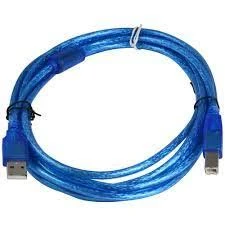
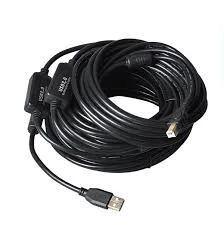
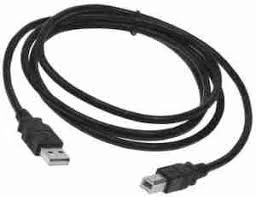
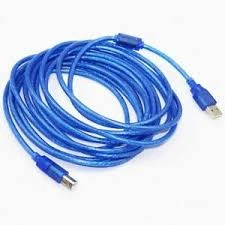
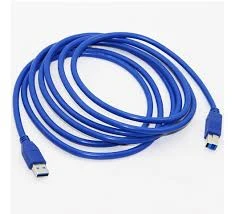
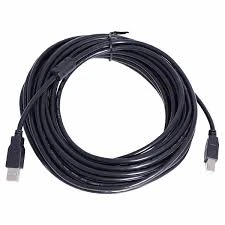
USB-A to USB-B Printer Cable
Inhouse product
-
 Ksh1,400.00
Ksh1,500.00 -
Ksh5,000.00
-
Ksh150.00
Ksh300.00 -
Ksh4,000.00
Ksh4,340.00 -
Ksh25,000.00
Ksh28,000.00 -
Ksh100.00
Ksh150.00


Reviews & Ratings
USB-A to USB-B Printer Cable: Detailed Description
The USB-A to USB-B printer cable is one of the most common cables used to connect printers, scanners, and other peripheral devices to computers or laptops. It has a distinct, two-part design with USB-A at one end and USB-B at the other.
Here's an in-depth look at this cable type:
Connector Types:
-
USB-A (Standard USB Type-A):
-
Shape: Rectangular, flat, and wide.
-
Use: This is the host side of the cable, typically plugging into your computer, laptop, or USB hub. USB-A ports are commonly found on computers, printers, and many other devices.
-
Orientation: USB-A connectors can only be inserted one way, so they have a specific orientation.
-
-
USB-B (USB Type-B):
-
Shape: Square with slightly beveled corners (often referred to as a "square" connector).
-
Use: This side connects to the printer or scanner. USB-B ports are generally found on printers, scanners, and other larger peripherals.
-
Orientation: Like USB-A, USB-B connectors are designed to fit in only one orientation.
-
Cable Lengths:
USB-A to USB-B cables come in a wide range of lengths to suit different needs, with the most common lengths being:
-
3 feet (1 meter): This is often used for shorter distances between a computer and a nearby printer.
-
6 feet (1.8 meters): A more typical length for many standard setups, providing enough flexibility to position a printer on a desk or at a moderate distance from the computer.
-
10 feet (3 meters): Ideal for larger setups where the printer and the computer might be farther apart.
-
15 feet (4.5 meters) or more: For cases where the printer needs to be placed far from the computer, such as in office environments or workshops.
Key Features of USB-A to USB-B Printer Cables:
-
Universal Compatibility:
-
Standard for Printers: This cable is often the default connection type for many wired printers, particularly inkjet and laser printers. It’s compatible with a wide variety of operating systems, including Windows, Mac OS, and Linux.
-
Plug-and-play: No need for additional drivers on most systems. Once plugged in, the printer is automatically recognized by the computer.
-
-
Data Transfer Speed:
-
USB 2.0 (Up to 480 Mbps): Most USB-A to USB-B cables use the USB 2.0 standard, which offers sufficient speed for printing tasks and general data transfer. This speed is more than enough for the average printer, including color inkjets, laser printers, and photo printers.
-
USB 3.0/3.1/3.2 (Up to 5 Gbps and beyond): Some newer printers and devices may use USB 3.0 or higher standards, which offer faster data transfer speeds, particularly useful for high-end, photo-quality printers or large data file transfers.
-
-
Power Delivery (for some models):
-
In some cases, this cable can also supply power to certain printers, especially smaller, low-power models (e.g., portable or compact printers). However, most larger printers will have their own power source (power adapter) and will rely on the USB-A to USB-B cable only for data transfer.
-
-
Durability and Shielding:
-
High-quality cables usually come with strong shielding to protect against signal interference, ensuring a stable connection, especially in environments with lots of electronic noise.
-
Strain relief at both ends of the cable helps reduce the risk of damage from bending, which is important in environments where the cable is frequently unplugged and reconnected.
-
Applications of USB-A to USB-B Printer Cables:
-
Connecting Printers to Computers:
-
The most common use for this cable is to connect a printer to a desktop computer or laptop. This setup is typically found in home offices, small businesses, or personal printers where a wired connection is preferred for stability or reliability.
-
-
Connecting Scanners:
-
Many flatbed scanners also use USB-A to USB-B cables to communicate with a computer, allowing the scanned data to be transferred to the PC for processing.
-
-
All-in-One Devices:
-
Multifunction all-in-one (AIO) printers often have a USB-B port for connecting to a computer. These devices can print, scan, copy, and sometimes even fax, and they use the USB-A to USB-B cable to transfer data for each of those functions.
-
Frequently Bought Products
-
Ksh1,400.00
Ksh1,500.00 -
Ksh5,000.00
-
Ksh150.00
Ksh300.00 -
Ksh4,000.00
Ksh4,340.00 -
Ksh25,000.00
Ksh28,000.00 -
Ksh100.00
Ksh150.00
Footer Title
Description of Footer